
Smart Browser Tab & Clipboard Manager

Try free for 7 days. Then $5 once — no subscription.

Download for macOSVersion 0.5.9

01 Search

Command + L & Search, Instantly

Search saved Chrome and Safari pages, URLs, tags, categories, and local Clipboard history from one compact macOS window.
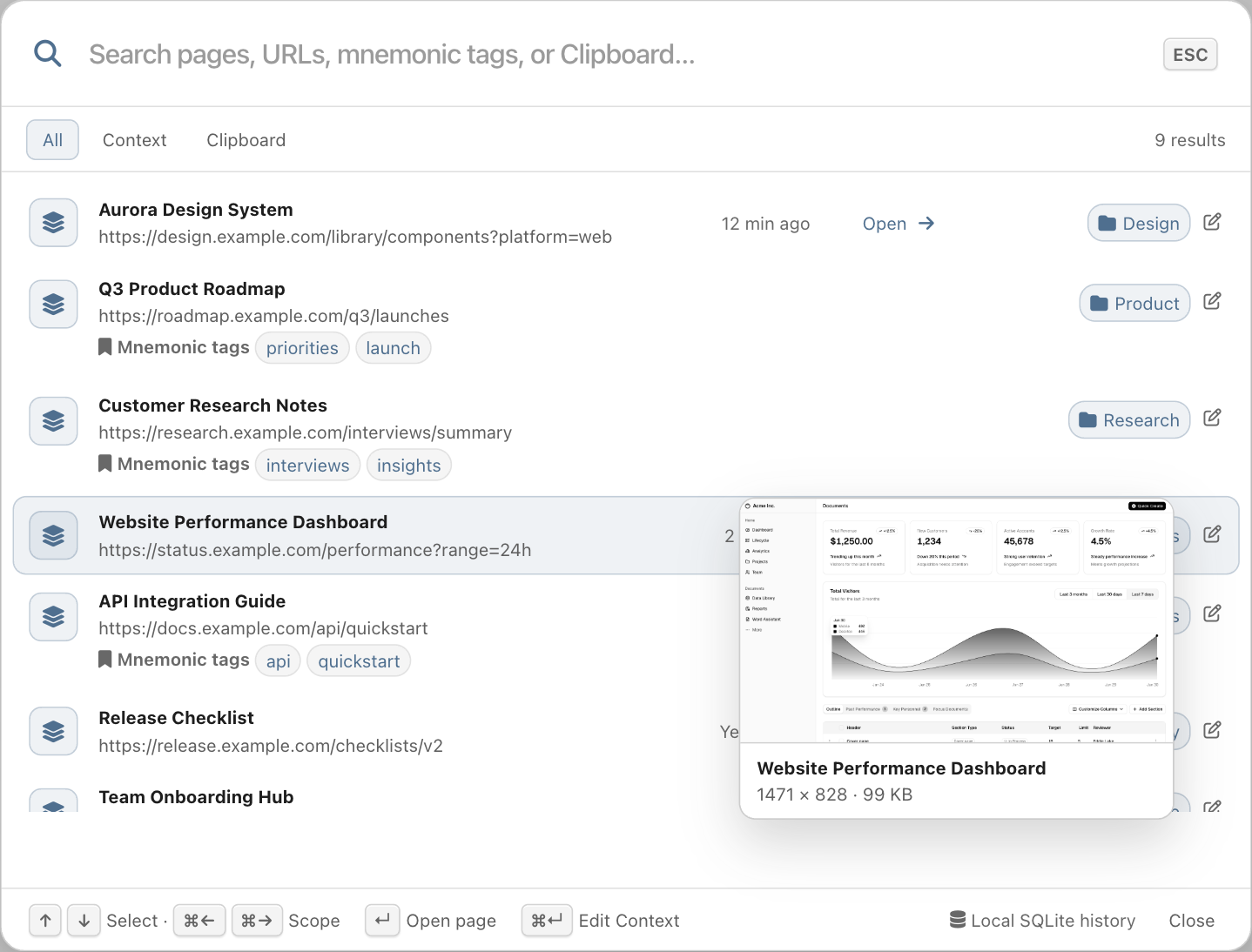
Jump back to the right page while your train of thought is still moving.

02 Organize

Auto organized by self-provided LLM endpoint

Organize saved browser contexts with an OpenAI-compatible model endpoint you provide. Clipboard content stays out of model input.
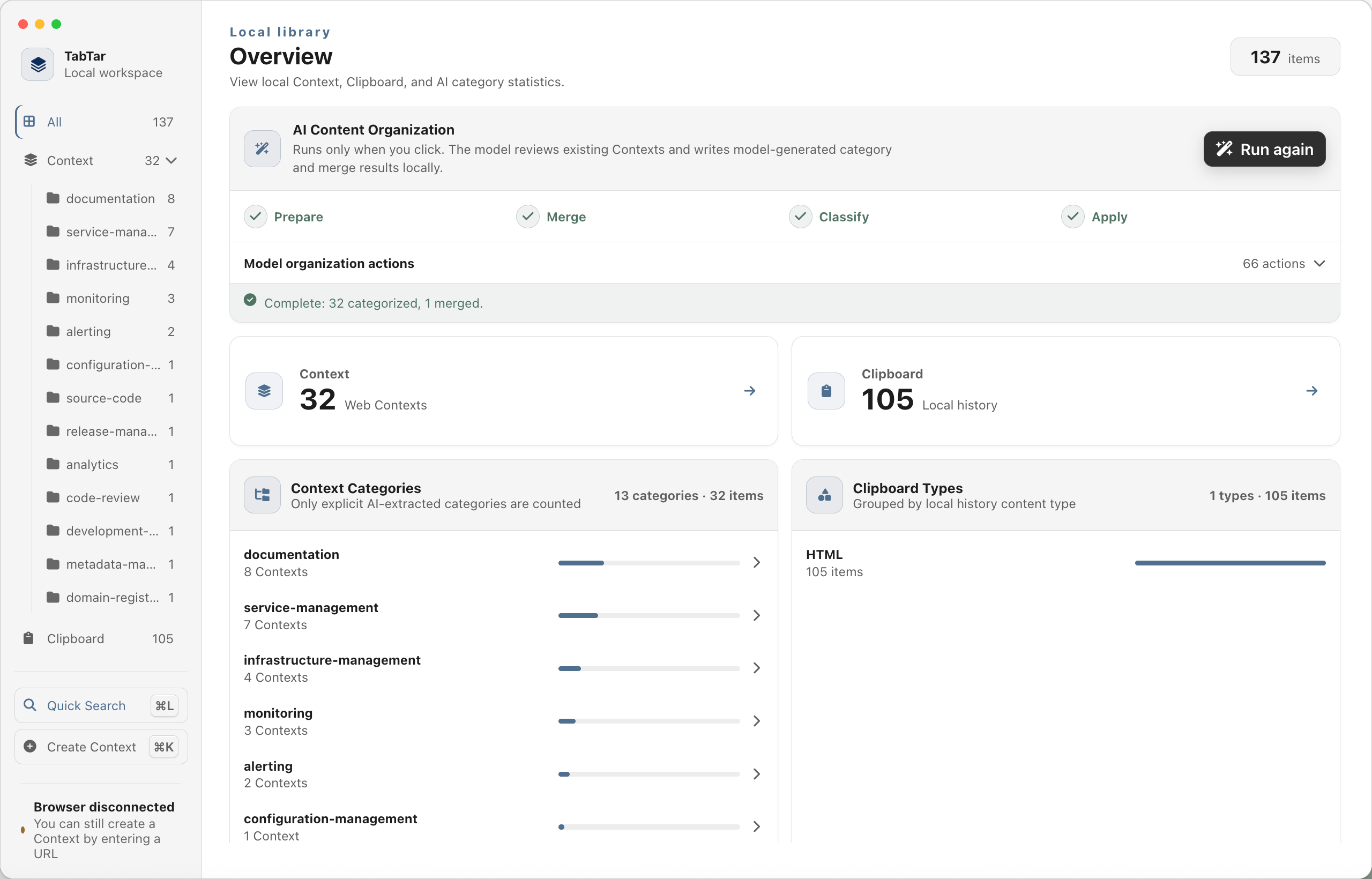
TabTar Home overview showing sample Context, Clipboard, and category summaries
Understand what you saved without opening every item.

03 Create

Command + K & Confirm

Capture the current Chrome or Safari window as a local browser context, then keep its sanitized URL, screenshot, and memorable tags.
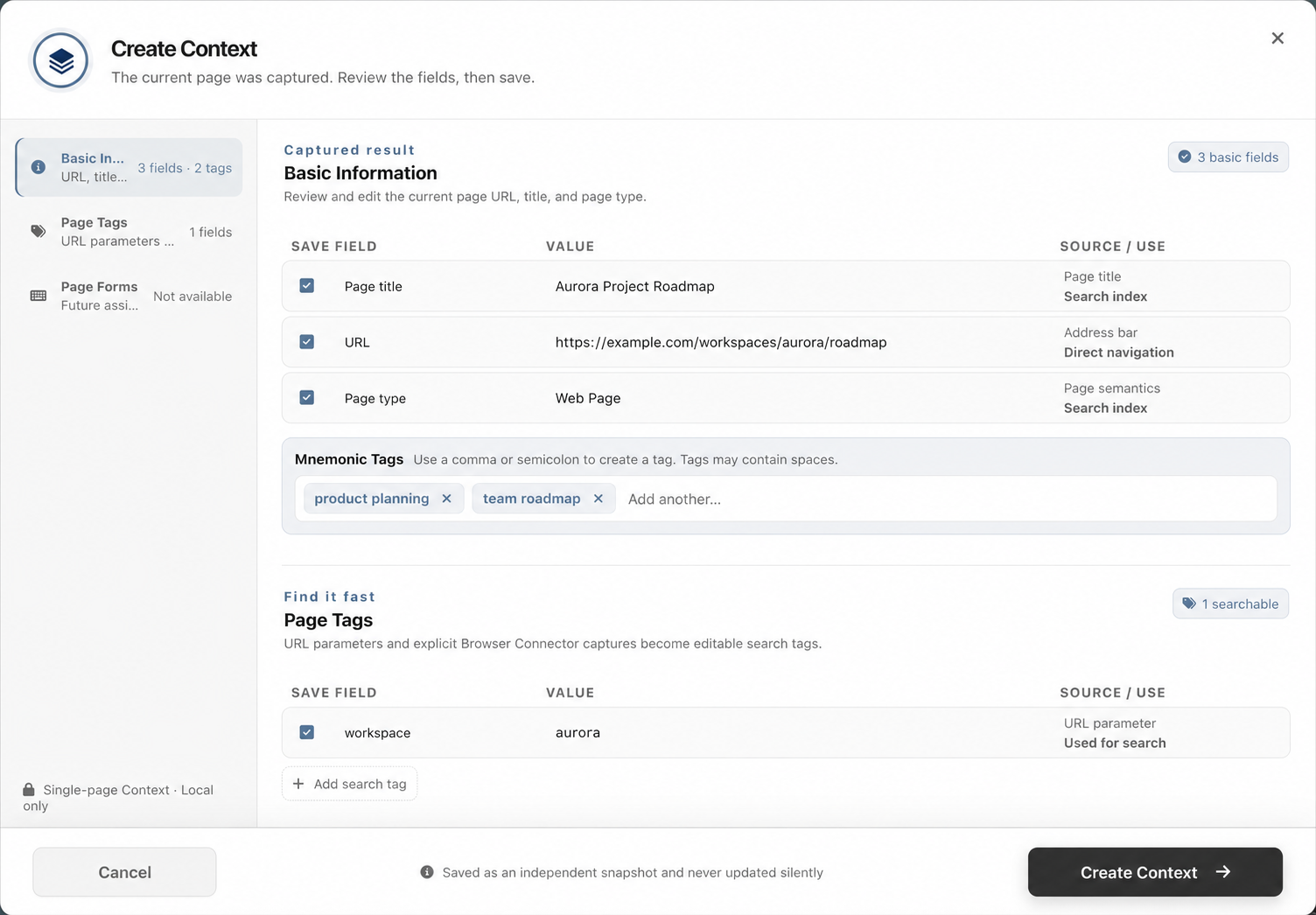
TabTar Create Context review with sample page details and mnemonic tags
Review what was captured before saving it to your local library.

One-time license

Purchase TabTar

Enter your email, then purchase a license or redeem a gift code. We’ll send the activation code by email.

License method

Your license is bound to this email. Payment is confirmed securely before a code is issued.